Generating Your Rule 26 Testimony Disclosure
Opposing counsel wants my testimony history for the last 4 years — do I have to reconstruct that by hand?
What FRCP 26(a)(2)(B) Requires
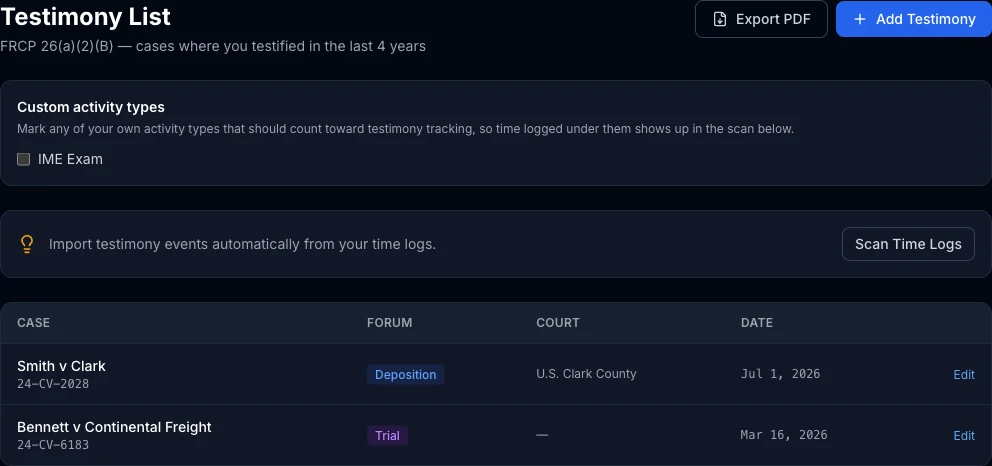
If you're a retained expert, Rule 26(a)(2)(B) requires disclosing every case in which you've testified as an expert at trial or by deposition in the preceding four years. It's a list attorneys ask for constantly, and it's tedious to keep accurate by hand across years of engagements. The Testimony tab in ExpertPractice keeps this list for you, largely without extra data entry.
It Finds Your Testimony Automatically
Click Scan Time Logs and ExpertPractice looks through your logged time for entries billed under Deposition Testimony or Trial Testimony, and suggests each matching case as a testimony event — you review and confirm rather than typing every case from scratch. If you bill testimony under a custom activity type instead of the built-ins, check its box under Custom activity types first so the scan picks it up too.
Linking a Case Fills In the Details
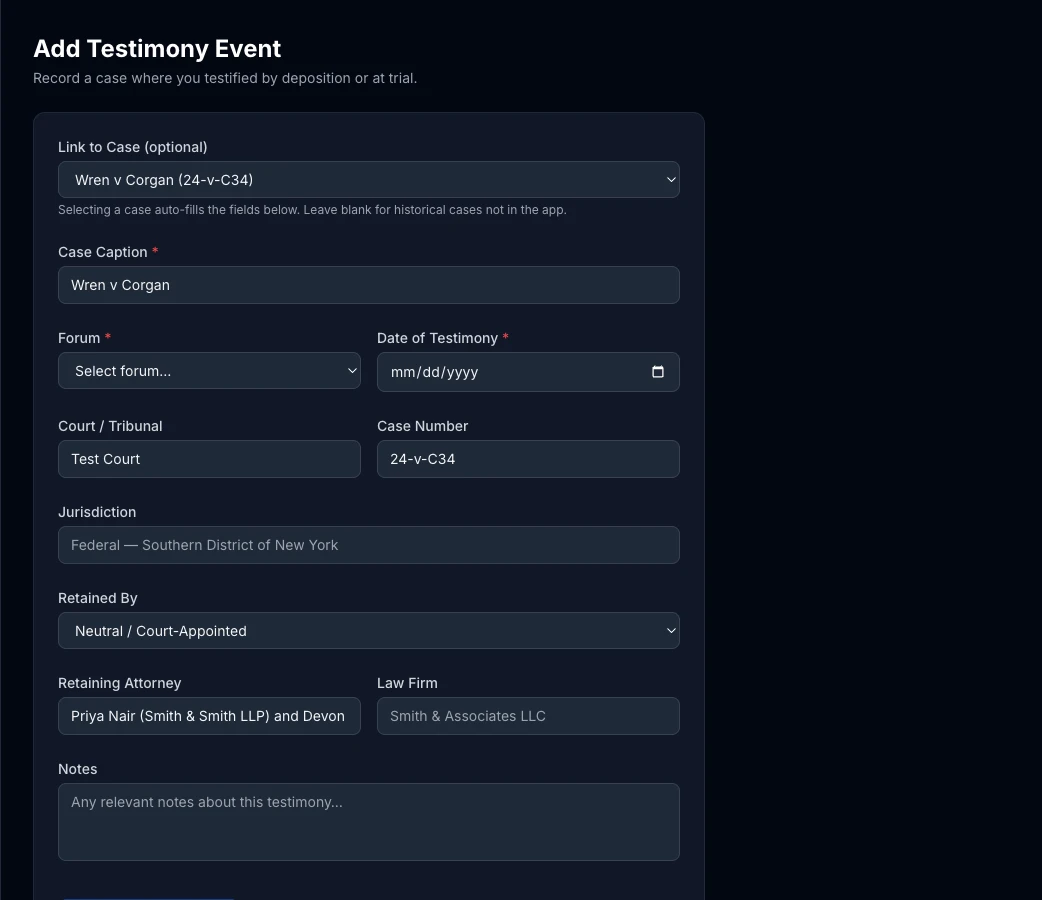
Whether a testimony event comes from a scan or you add one yourself with Add Testimony, linking it to a case on file auto-fills the case number, court, jurisdiction, and retaining attorney(s) — including every attorney on the case, correctly attributed to their own firm if there's more than one. You can still add a testimony event for a historical case that predates ExpertPractice by leaving the case link blank and filling in the fields yourself.
The 4-Year Window and Exporting
The list only needs to show what actually falls inside the trailing 4-year disclosure window — older testimony ages out on its own as time passes, so you're not stuck manually pruning the list. When you're ready, Export PDF generates a formatted, court-ready disclosure document straight from what's on the list.
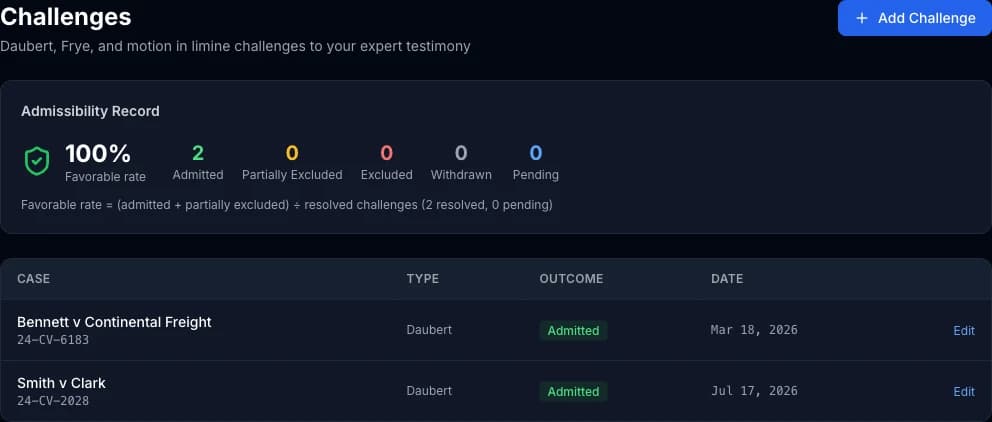
Tracking Daubert and Other Challenges
Challenges, right next to Testimony in the sidebar, tracks every Daubert, Frye, or motion in limine challenge to your testimony and its outcome. Your admissibility record — admitted in X of Y resolved challenges — is one of the strongest credibility signals you have with retaining counsel, and this keeps it in one place instead of scattered across case files.