Creating an Engagement Letter
I need to send a signed engagement letter before I start work — do I have to write one from scratch every time?
Start From the Case
Click Engagement Letter on any case detail page. It opens a dedicated 4-step flow — Review details, Customize sections, Edit & preview, and Download & save — and you can go back to an earlier step at any point without losing what you've already entered.
Set Your Defaults Once
Before your first letter, it's worth visiting My Practice → Engagement Letter. It has the same section toggles and text boxes described below, but set once at the practice level instead of per case — every new letter starts from whatever you configure there. You can still adjust anything for a specific case without touching those defaults.
Step 1: Review Details
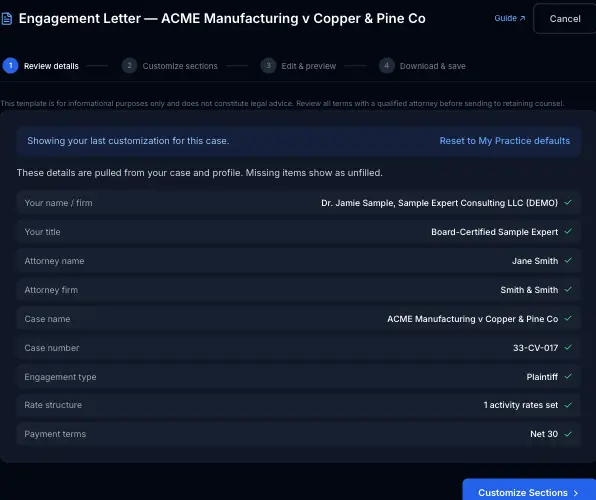
Everything here is pulled from your case and profile — your name, firm, and title, the attorney and firm on the case, case name and number, engagement type, rate structure, and payment terms. Anything missing shows up flagged so you can fix it in My Practice or the case itself before moving on. If you've already customized a letter for this case before, a banner says so, with a Reset to My Practice defaults option if you'd rather start over.
Step 2: Customize Sections
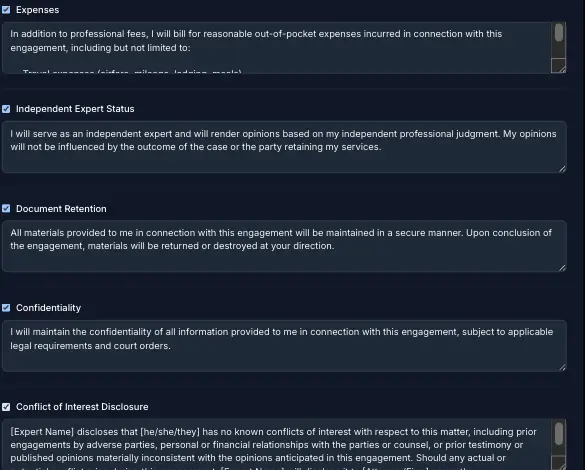
Rather than a fixed set of terms, the letter is built from independent sections you can turn on or off and edit directly: Expenses, Independent Expert Status, Document Retention, Confidentiality, and Conflict of Interest Disclosure are all included by default, each with standard wording you can rewrite right there.
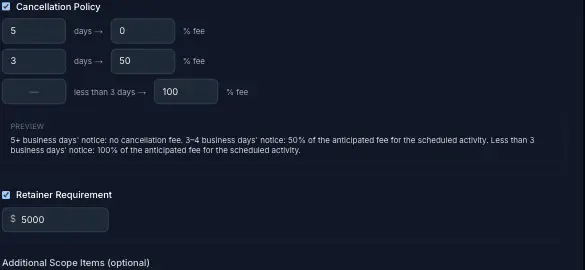
Cancellation Policy is tiered instead of a single window and fee — set a notice window and fee percentage for as many tiers as you need; the last one automatically catches anything below your other tiers. A live preview underneath shows exactly how the clause will read.
Retainer Requirement is off by default. Turning it on adds a dollar amount field and puts a line in the letter asking for that retainer on signing — it doesn't collect or record anything by itself. Once the client actually pays it, see Billing a Retainer vs. Collecting One Upfront for how to record it in ExpertPractice.
An optional Additional Scope Items field at the bottom covers anything case-specific worth spelling out — an inspection, a particular deliverable. Everything on this step saves automatically and applies only to this case's letter — it never changes your My Practice defaults for future ones.
Step 3: Edit & Preview
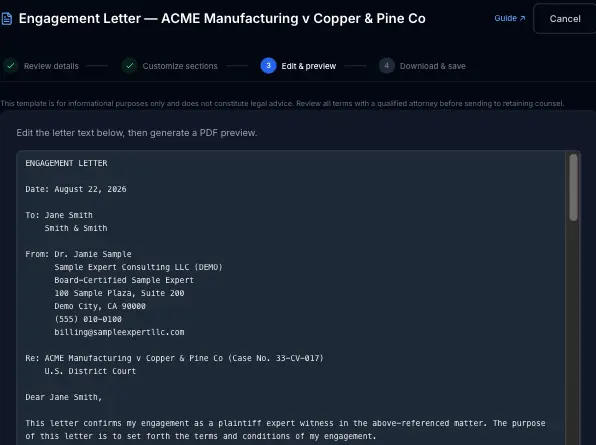
The full letter — not a summary of the fields, the actual text as it will be sent — sits in an editable box. Make any last wording changes directly here, then click Generate PDF Preview to see it rendered before moving on.
Step 4: Download & Save
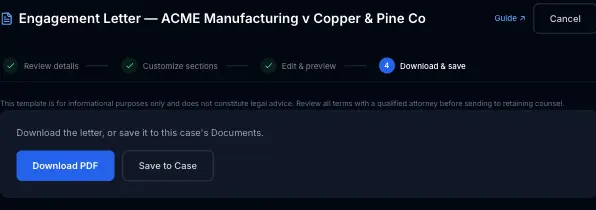
Two options, not mutually exclusive: Download PDF saves it to your computer to send however you like, and Save to Case attaches the PDF directly to this case's Documents, tagged as an Engagement Letter, without a separate upload step.
Getting It Signed
The letter itself includes a signature line and an "Accepted and Agreed" block — but ExpertPractice doesn't have e-signature built in. Getting it signed happens outside the app, the same way you'd handle any other document: print it and have it signed and scanned back, email the PDF as an attachment, or run it through your own e-signature tool (DocuSign or similar) if you already use one. Once you have the signed copy back, upload it to the case's Documents to keep it with everything else.
It's a Template, Not Legal Advice
The letter covers the standard ground — scope, rates, expenses, billing, cancellation policy, independence, confidentiality — but it's a starting point, not a substitute for review by a qualified attorney before it goes out to retaining counsel. Every jurisdiction and engagement has its own wrinkles a template can't anticipate.