Installing ExpertPractice on Your Phone
Can I get ExpertPractice as an app instead of a browser tab?
You Don't Need an App Store
ExpertPractice isn't distributed through the App Store or Google Play — instead, your browser can add it directly to your home screen as an installed app. It opens full-screen, gets its own icon, and behaves like any other app on your phone, without a separate download.
The In-App Prompt
After a few visits (or as soon as you log your first time entry), you may see a banner across the top of the app offering to install it right there:
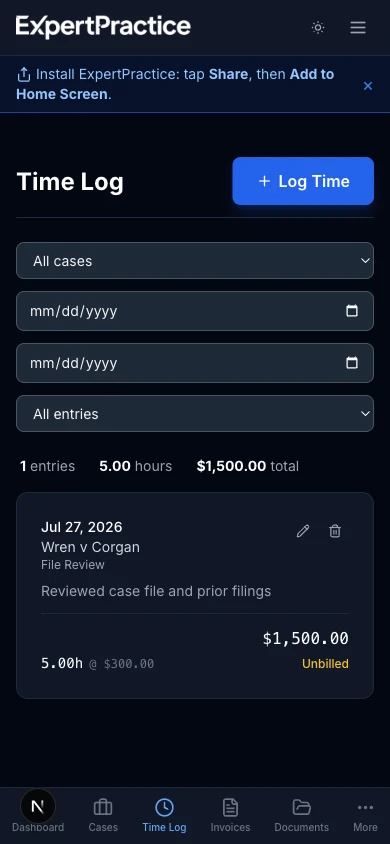
On desktop and Android, tapping Install hands off to your browser's own install prompt. On iPhone, the banner instead points you to the manual steps below, since Safari doesn't let a website trigger its own install prompt. If you dismiss the banner, it stays away for two weeks — the steps below work anytime, whether or not the banner happens to be showing.
iPhone or iPad (Safari)
- Open ExpertPractice in Safari and log in.
- Tap the Share icon (the square with an arrow pointing up) in the toolbar.
- Scroll down the share sheet and tap Add to Home Screen.
- Confirm the name and tap Add.
This has to be done in Safari specifically — Chrome or another browser on iOS can't add a home-screen app the same way, since Apple only exposes that capability to its own browser engine.
Android (Chrome)
- Open ExpertPractice in Chrome and log in.
- Tap the ⋮ menu in the top right.
- Tap Add to Home screen (or Install app, depending on your Chrome version).
- Confirm, and the icon appears on your home screen.
Desktop (Chrome or Edge)
- Open ExpertPractice in Chrome or Edge and log in.
- Look for an install icon in the address bar (a small monitor with a down arrow), or open the ⋮ menu and look for Install ExpertPractice… (sometimes under an Apps submenu).
- Click Install. ExpertPractice now opens in its own window from your dock, taskbar, or applications folder — no browser tabs or address bar.
Firefox and Safari on desktop don't currently support installing websites this way.
What Installing Actually Changes
Nothing about your account or data — it's the exact same ExpertPractice, running in its own window instead of a browser tab. It's purely a shortcut: faster to open, easier to find, and one less browser tab competing for your attention when you just need to log time between meetings.
Related guides