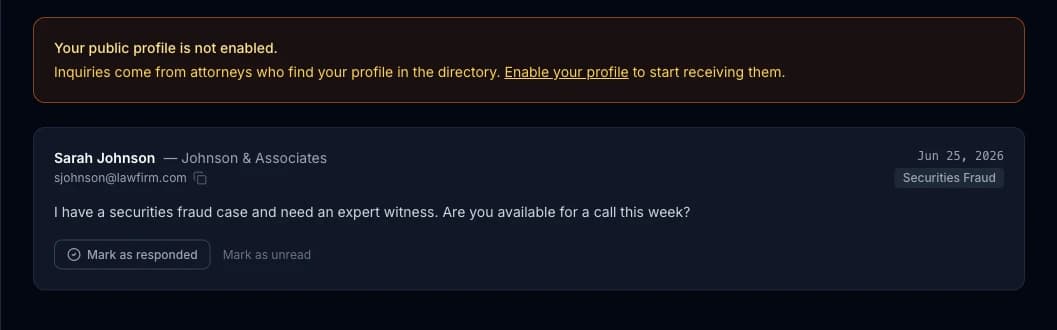
Setting Up Your Public Expert Profile
Can attorneys find me through ExpertPractice, or is this just for my own case tracking?
Off by Default
Public Profile in the sidebar is entirely opt-in. Nothing about your account is visible outside it unless you turn Profile visibility on — doing so submits it for a quick review before it goes live in the searchable directory, so nothing publishes instantly or without a check first. Review is usually done within 1-2 business days, though it can take up to 7.
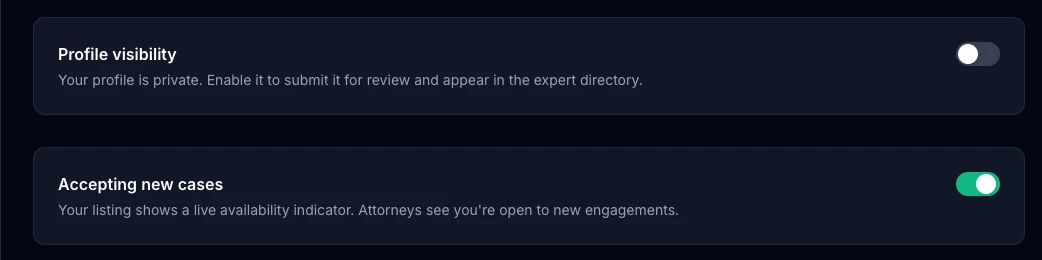
Accepting new cases is separate from visibility — it controls a live availability indicator on your listing, so you can stay visible in the directory (for testimony history, credibility, whatever reason) while signaling you're not currently taking new engagements, without having to unpublish anything.
What Goes on the Profile
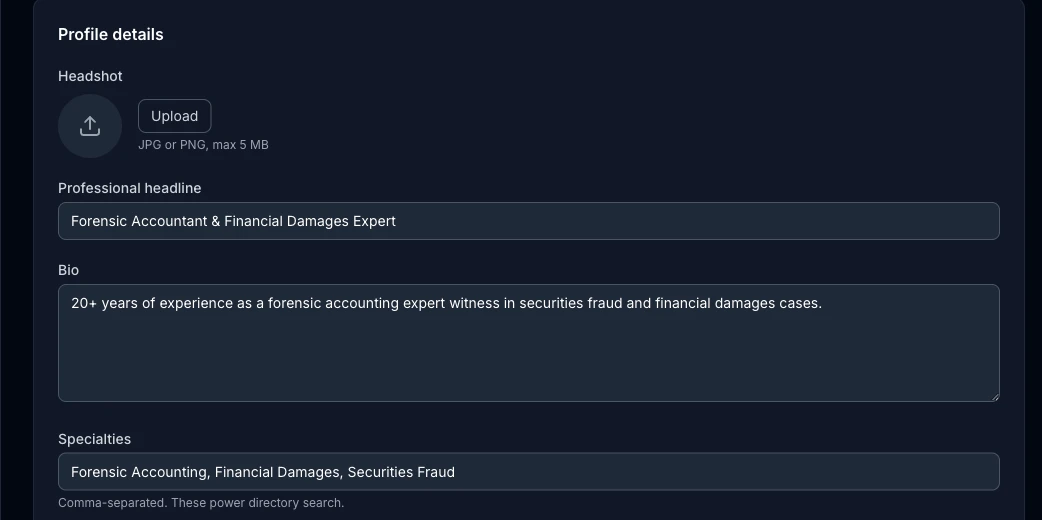
A headshot, a professional headline, a short bio, comma-separated specialties that power directory search, credentials, years of experience, location, and an optional rate range. None of it is required beyond the basics — fill in what you're comfortable sharing publicly.
Engagement preferences further down let you flag whether you take plaintiff work, defense work, or both, and whether your Daubert/Frye admissibility record (from Challenges) shows on the public listing — a strong credibility signal if your record is good, and entirely your call whether to show it.
Where Inquiries Land
When an attorney finds you in the directory and reaches out through your profile, it shows up in Inquiries — not your regular email inbox — along with an email notification so you don't have to remember to check. Inquiries are yours alone; nothing about them is shared with other experts on the platform.