Setting Your Default Rates & Rate Structures
Do I have to type in my rate every time I log time, or can I set it once?
Default Rates in My Practice
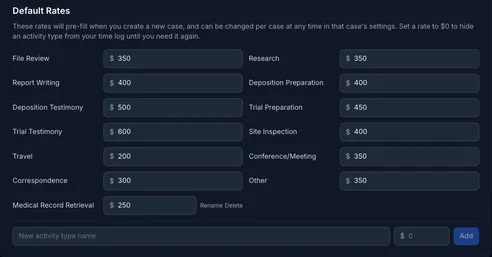
My Practice → Rates lists every activity type — File Review, Deposition Testimony, Trial Testimony, and so on, plus any custom types you've added — with a dollar-per-hour field next to each. Set the ones you actually bill for and leave the rest blank.
How Rates Flow Into a New Case
When you create a case, its billing rates start out as a copy of your default rates at that moment. From then on the two are independent — changing a default rate later doesn't touch rates already saved on existing cases, so a rate increase only applies going forward, to cases you create after the change.
Overriding Rates for One Case
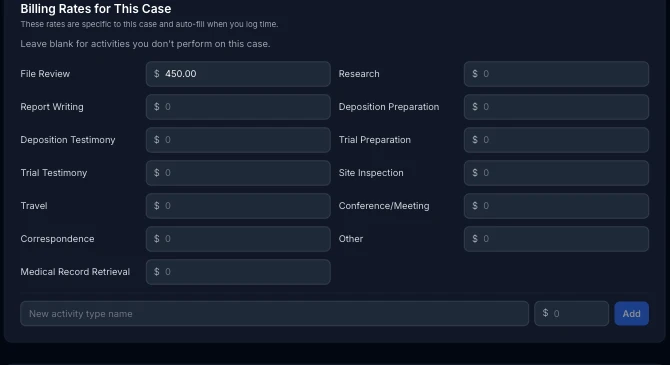
Every case has its own Billing Rates for This Case section, on the case form. Change a rate there and it applies to that case only — useful for a client negotiated to a different number, or a case where you're doing more file review than usual and want that activity broken out at its own rate.
Hiding an Activity Type
Set a default rate to $0 — or leave it blank — and that activity type stays out of your day-to-day view on that case's time log until you actually need it. Nothing is deleted; the type is still there the moment you set a real rate on it.