Setting Up Your Firm Info & Invoice Defaults
My Practice has a lot of fields — what actually shows up on my invoices, and what should I put in each one?
This covers My Practice → Profile & Firm Info and Invoice Defaults — the fields that determine what your invoices, engagement letters, and tax summaries look like. It's different from your Public Expert Profile, which is the separate, optional page attorneys see if they find you through ExpertPractice's expert directory.
Profile & Firm Info
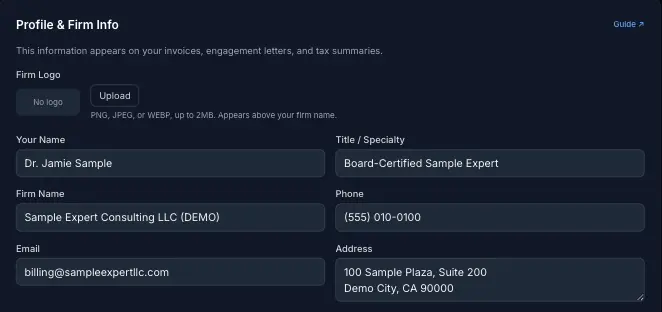
Your Name, Title / Specialty, Firm Name, Phone, Email, and Address together form your letterhead — this exact block is what appears at the top of every invoice PDF, engagement letter, and tax summary you generate. There's no separate field to edit per-document; change it once here and it updates everywhere.
Firm Logo is optional — upload a PNG, JPEG, or WEBP up to 2MB and it renders above your firm name on the same documents. Skip it if you don't have one yet; nothing else depends on it.
Invoice Defaults
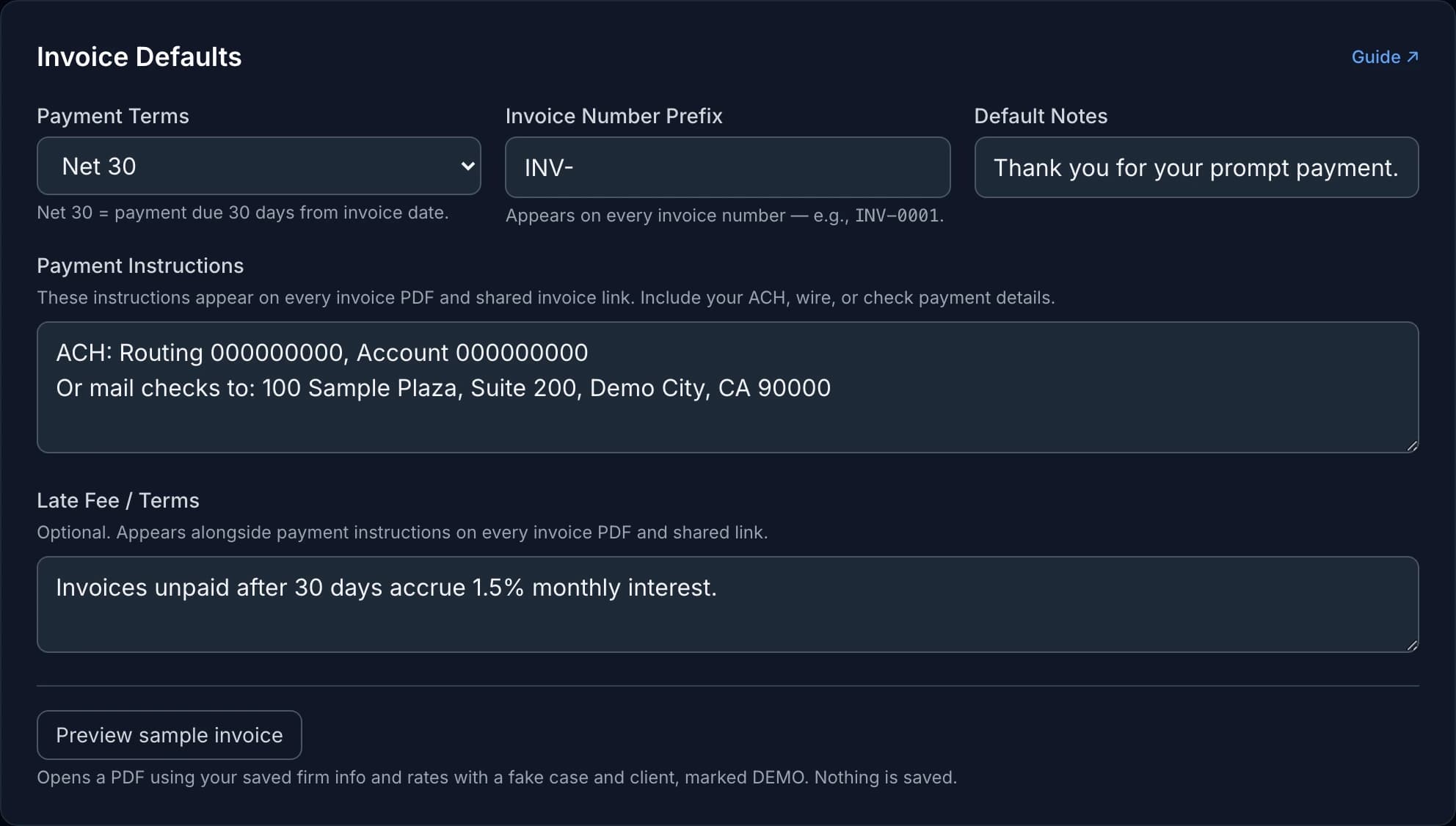
Payment Terms sets how invoice due dates are calculated — Net 30 (the most common default) means payment is due 30 days from the invoice date. Due on Receipt is worth using if you routinely deal with slow payers and want the clock to start immediately instead of implicitly granting 30 free days.
Invoice Number Prefix controls the text before the number on every invoice — e.g. INV- produces INV-0001, INV-0002, and so on. The numeric sequence itself is handled automatically and isn't separately editable here; the prefix is the only part you control.
Default Notes is a short line that pre-fills on new invoices (something like "Thank you for your prompt payment") — you can still edit or clear it per invoice before sending.
Payment Instructions is the one field most worth getting right before you send your first real invoice: it's freeform text that appears on every invoice PDF and shared invoice link, so it's where your ACH routing/account numbers or mail-a-check address actually live. There's no structured bank-details form — whatever you type here is exactly what the client sees.
Late Fee / Terms is optional freeform text shown alongside payment instructions — e.g. "Invoices unpaid after 30 days accrue 1.5% monthly interest." Leave it blank if you don't charge one; nothing is added automatically.
Default Rates (Briefly)
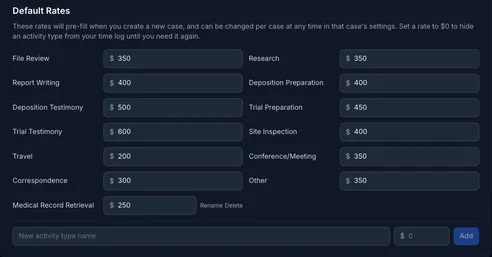
Just below Invoice Defaults, the Default Rates card sets your hourly rate per activity type — these pre-fill whenever you create a new case, though you can still override them per case afterward. Setting a rate to $0 hides that activity type from your time log until you need it again, which is a quick way to declutter the dropdown without deleting anything.
For guidance on when to add a brand-new custom activity or expense type here versus using the description field on an entry, see Custom Activity & Expense Types: Categories, Not Descriptions.
Common Choices
For most solo experts, a reasonable starting point is Net 30 payment terms, a short invoice prefix like INV-, and payment instructions with either your ACH details or a mailing address for checks — whichever you actually want to receive. Add a late fee only if you're prepared to actually enforce it; an unenforced late fee line mostly just signals distrust to a client who was never going to be late anyway.