Generating Your First Invoice
How do I turn logged time into something a client can actually pay?
Before You Start
An invoice is built from time entries and expenses that are already logged against a case and haven't been billed yet. If you haven't logged any time yet, head to Time and add an entry first — you'll need at least one unbilled time entry or expense before ExpertPractice will let you generate an invoice for a case.
Every time entry and expense stays "unbilled" until it's added to an invoice. Once it's on a sent invoice, it locks — you can't delete it or move it to a different invoice. (More on why in What Happens When You Mark an Invoice as Sent.)
Starting a New Invoice
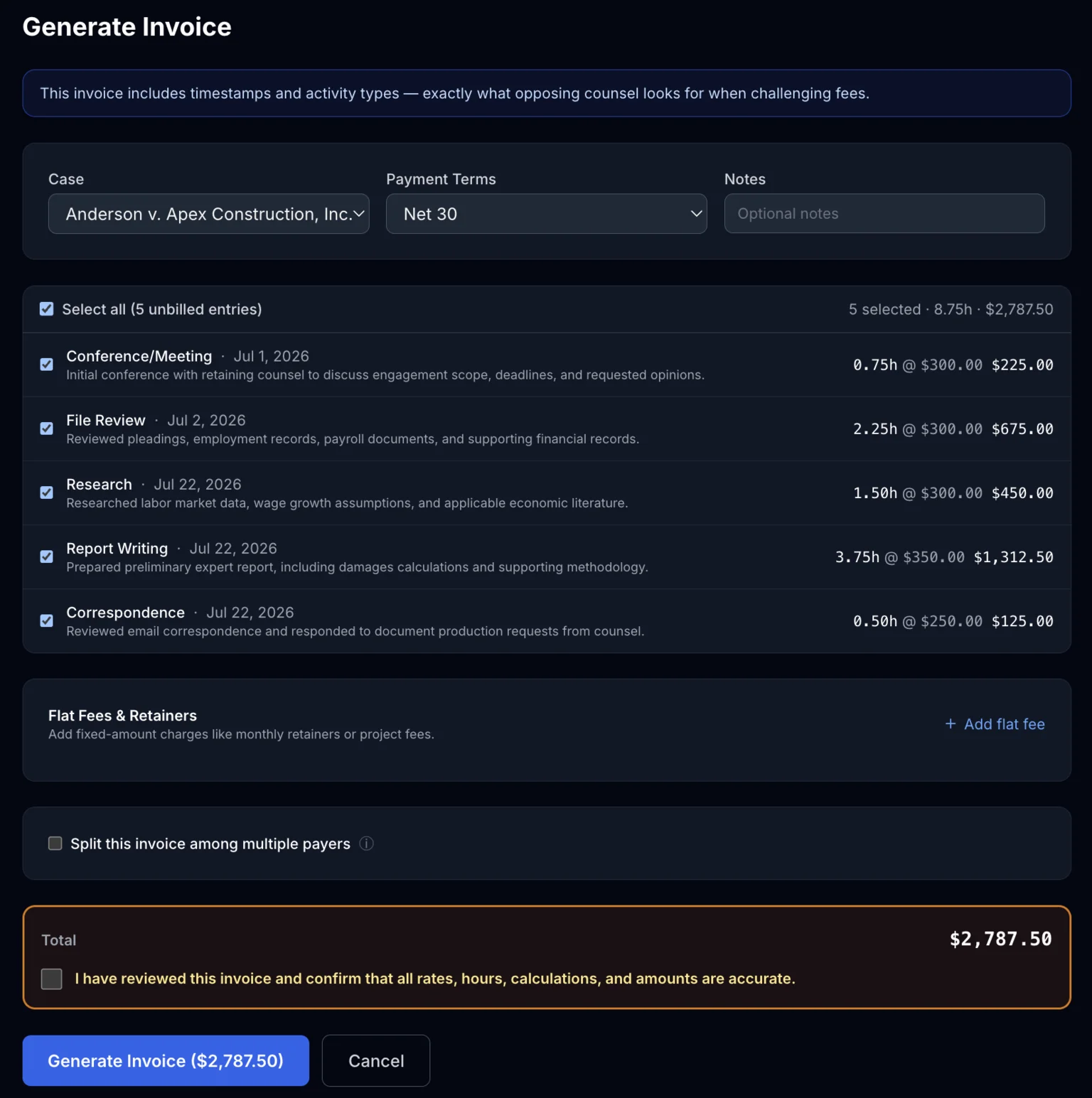
From Invoices, click New Invoice and choose the case you're billing. ExpertPractice shows every unbilled time entry and expense for that case — check the ones you want to include. You'll also set the payment terms (Net 15, Net 30, Net 45, Net 60, or Due on Receipt), which controls the due date printed on the invoice.
As you select entries, the running total updates so you can see exactly what the invoice will come to before you generate anything.
Billing a Flat Fee
Not everything is hours × rate. For a report-writing fee, a retainer draw, or a fixed deposition fee, log it under Time like any other entry, but switch the billing method to Flat Amount — no hours required, just a description and a dollar amount. It shows up in your unbilled list exactly like an hourly entry, ready to check off here when you generate the invoice.
The Accuracy Checkbox, and Why It's There
Before you generate, you'll confirm that you've reviewed the entries and amounts. This isn't a formality — once an invoice is generated and sent, the amounts are locked. This checkbox is your last chance to catch a wrong rate, a duplicate entry, or a case picked by mistake before that happens.

What's Next
Once generated, the invoice sits as a draft until you send it. From here you can:
- Download the PDF as many times as you want — nothing locks until you mark it sent
- Split it between multiple payers if more than one party owes a share
- Mark it as sent when you're ready to deliver it — this is the point of no return for edits