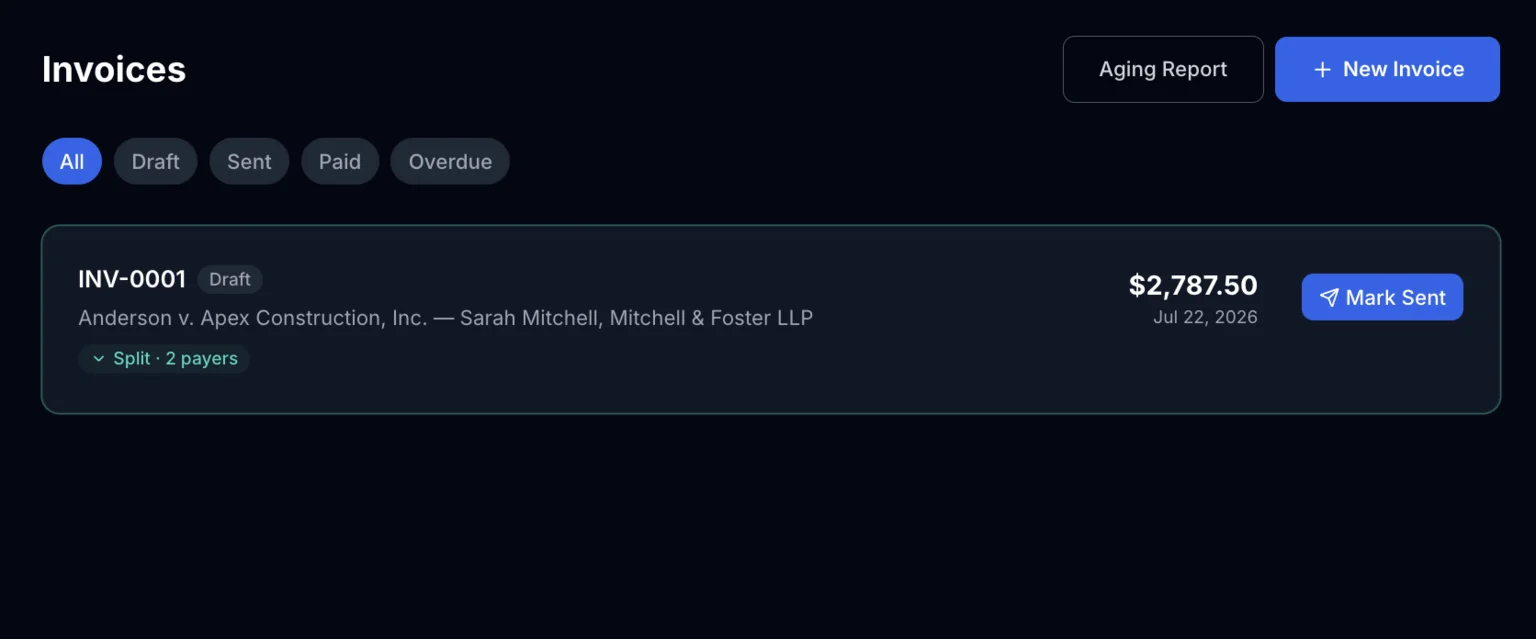
Splitting an Invoice Between Payers
Two parties need to pay this case — how do I bill them separately on one invoice?
When to Split, When Not To
Splitting is for one engagement where the bill is genuinely shared — co-defendants splitting your fee, a firm and a client each covering part of the balance, or any case where more than one party owes their own portion of the same invoice. Each payer gets their own share, their own balance, and their own record of what they've paid.
If instead you have two completely separate engagements that just happen to involve the same case, it's usually simpler to generate two separate invoices rather than split one.
Choosing a Split Type
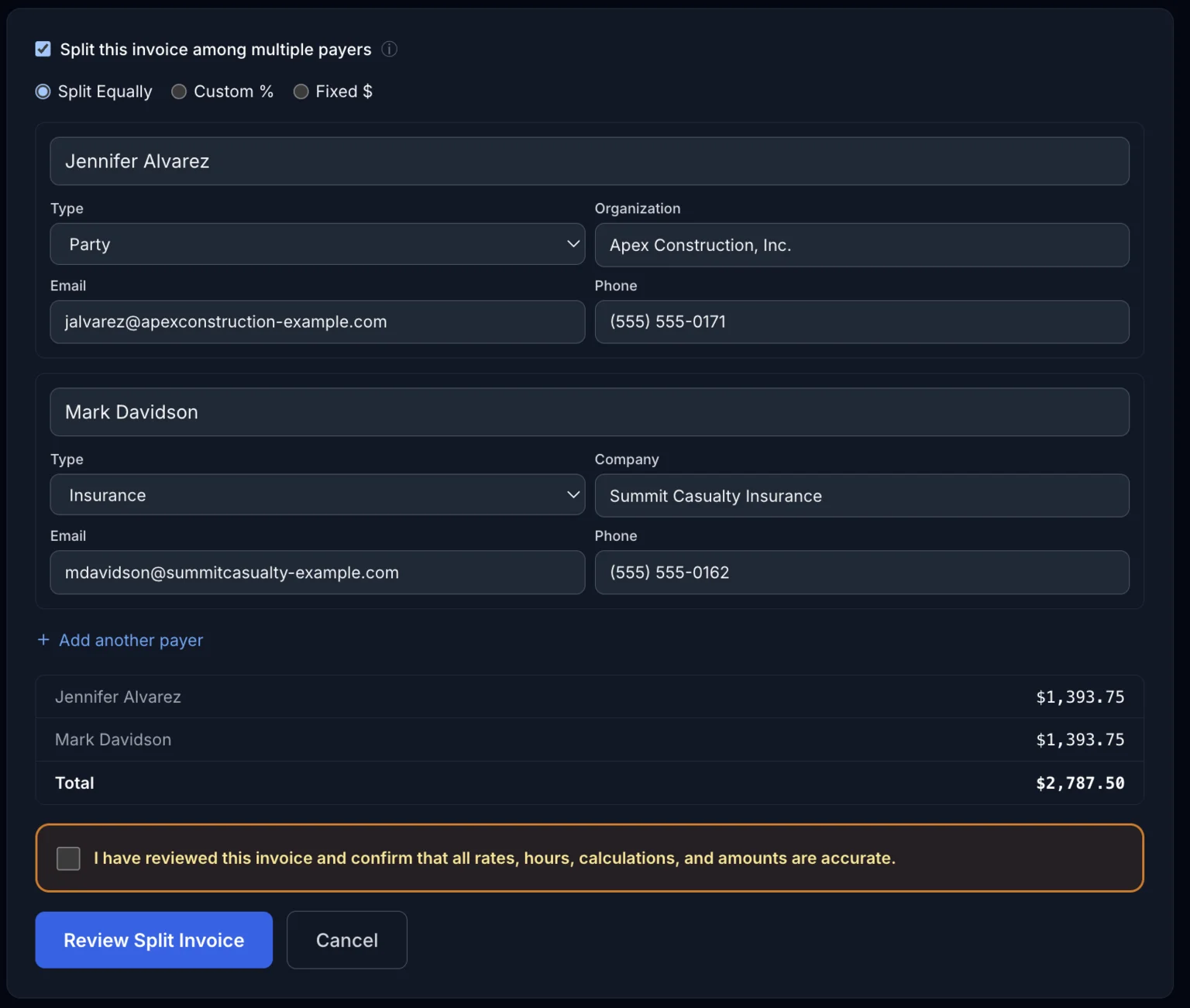
When you split an invoice, you choose how the total is divided:
- Equal — the total is divided evenly across however many payers you add
- Custom % — you set each payer's percentage of the total (must add up to 100%)
- Fixed $ — you set each payer's exact dollar amount
Adding Payers
For each payer, add their name, firm, and contact info — or select an existing saved contact to auto-fill it. This is the information that shows up on that payer's copy of the invoice and any payment reminders sent on their behalf.
What Each Payer Sees
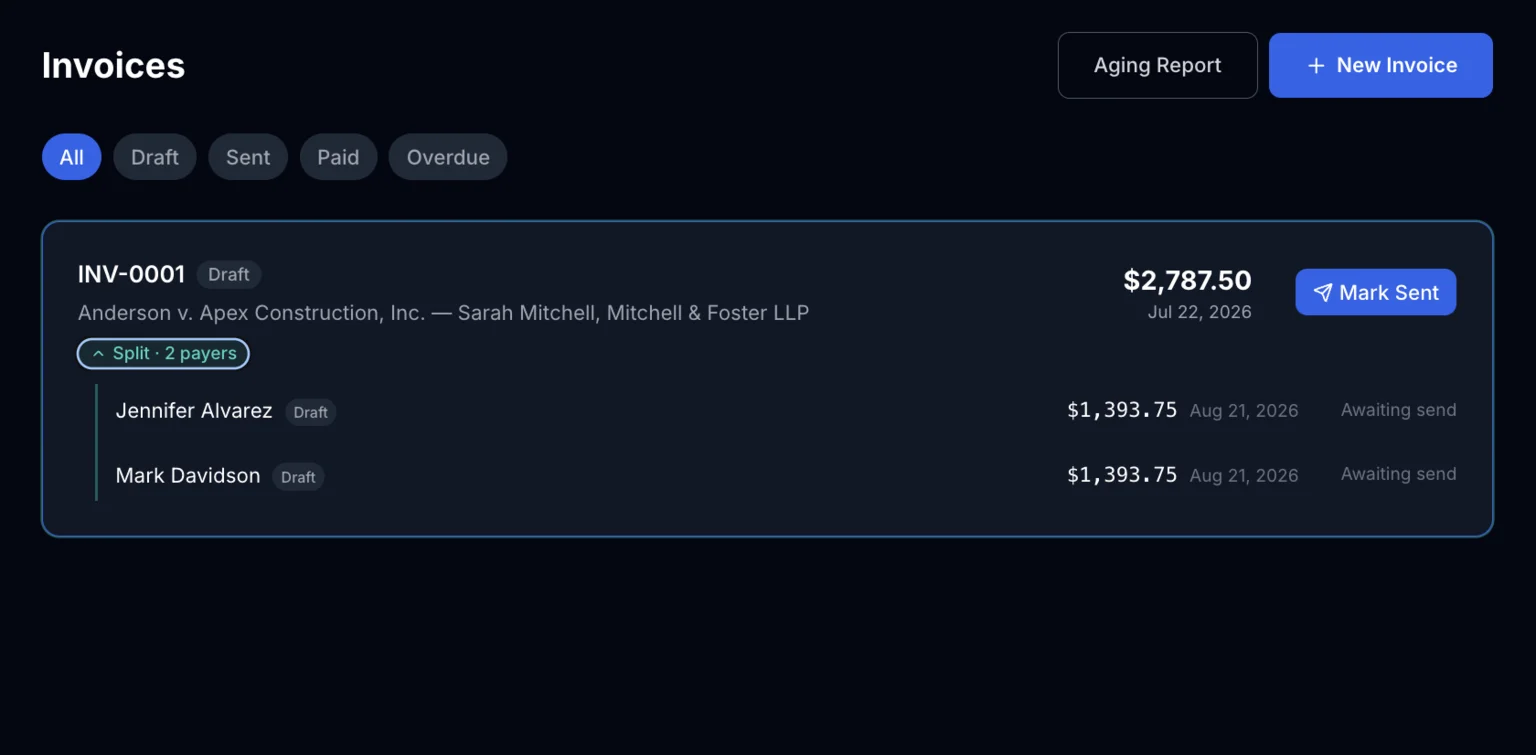
Every payer gets their own copy of the invoice showing just their share, their own balance and payment history, and their own reminder schedule if a payment is late. Expand the split on the Invoices list to see each payer's amount and send status at a glance — from there you can download each payer's copy individually, or download all of them at once as a single .zip.
The One-Way Door
Once a split invoice is sent, you can't edit a single payer's share on its own — the split was calculated as a whole, so correcting one payer's amount means correcting all of them together. If something needs to change after sending, the fix is to void the entire invoice and generate a corrected one. Set that expectation with yourself (and, if relevant, with the payers) before you hit send on a split invoice.
One exception worth knowing about ahead of time: if a payer has already paid their full share, ExpertPractice won't let you void the invoice until that payment is addressed. See Voiding an Invoice for exactly what that looks like and how to resolve it.