Voiding an Invoice
I need to fix a sent invoice. Do I lose my time entries? What happens to payments I already got?
What Void Actually Does
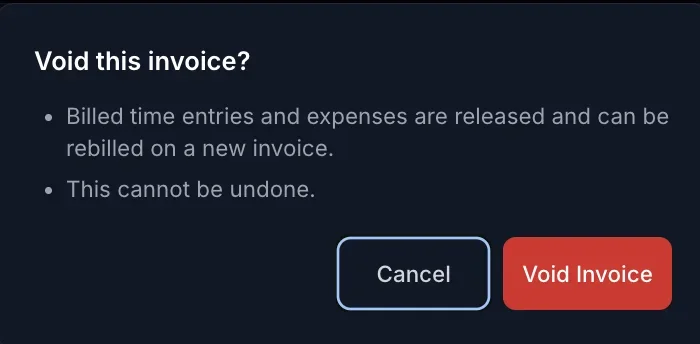
Voiding an invoice releases every time entry and expense linked to it back to unbilled — including flat-fee entries, since a flat fee is just a time entry billed by amount instead of hours × rate. Nothing is deleted — everything simply becomes available again so you can correct it and put it on a new invoice. This is the fix for any mistake on a sent invoice — wrong rate, missing entry, wrong case — since sent invoices can't be edited directly.
What Happens to Payments Already Received
If a payment was already recorded against the invoice, voiding doesn't erase it. The payment is released back to that case's available credit, where it can be applied to the corrected invoice once you generate it. Nothing is lost — it just moves from "applied to this invoice" to "available to apply." See Recording Payments & Case Credit for how to apply it.
The One Thing That Blocks a Void
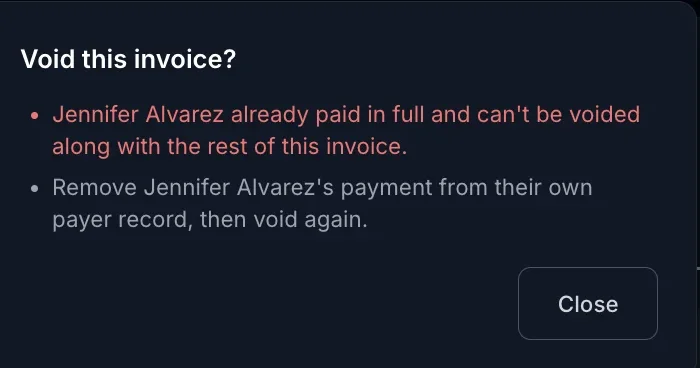
On a split invoice, if one payer has already paid their full share, ExpertPractice won't let you void the invoice as a whole — voiding would wipe out a payment that's already settled for that payer. In that case, you'll see an explanation of which payer is blocking the void and why.
The fix is to remove or adjust that specific payer's payment record first, then void again.
It's Permanent
Voiding cannot be undone. Once an invoice is voided, there's no way to bring it back to sent status — the only path forward is generating a new, corrected invoice.
Finding the Original Afterward
A voided invoice no longer has a detail page to click into — since the amounts and PDF it would show are no longer accurate once the underlying entries have been released and possibly rebilled elsewhere. Instead, find it right on the Invoices list: voided invoices show a "Voided [date]" label and a Download Original PDF button that gives you the exact archived snapshot from when the invoice was originally sent.
