Recording Payments & Case Credit
How do I log that I got paid — and what's the difference between a retainer and an advance?
Recording a Payment on an Invoice
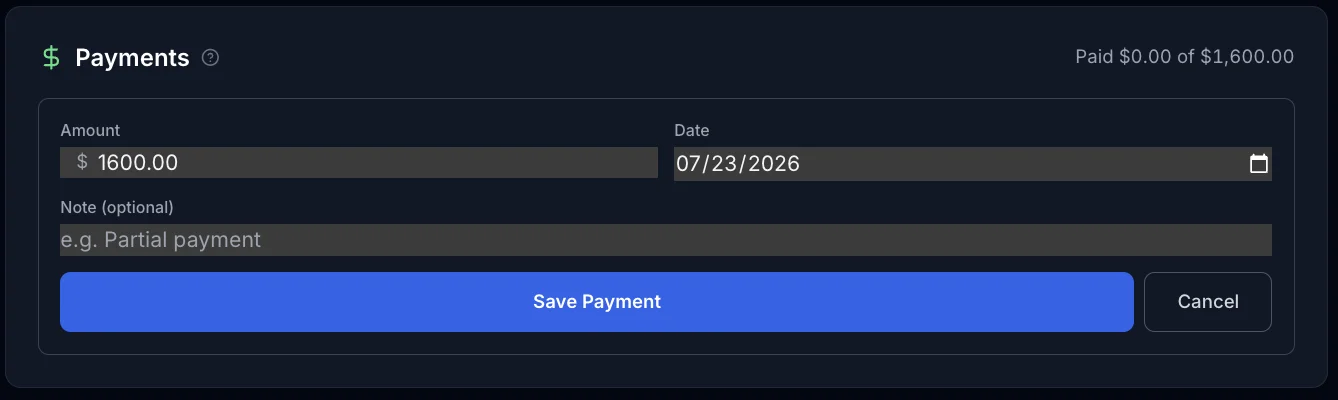
From an invoice, record a payment with the amount received and the date. It always applies directly to that invoice — no other choice to make. Payments can be partial or for the full balance; ExpertPractice tracks how much is still outstanding as payments come in, and updates the invoice's status once it's paid in full.
Recording Money Before You've Even Sent an Invoice
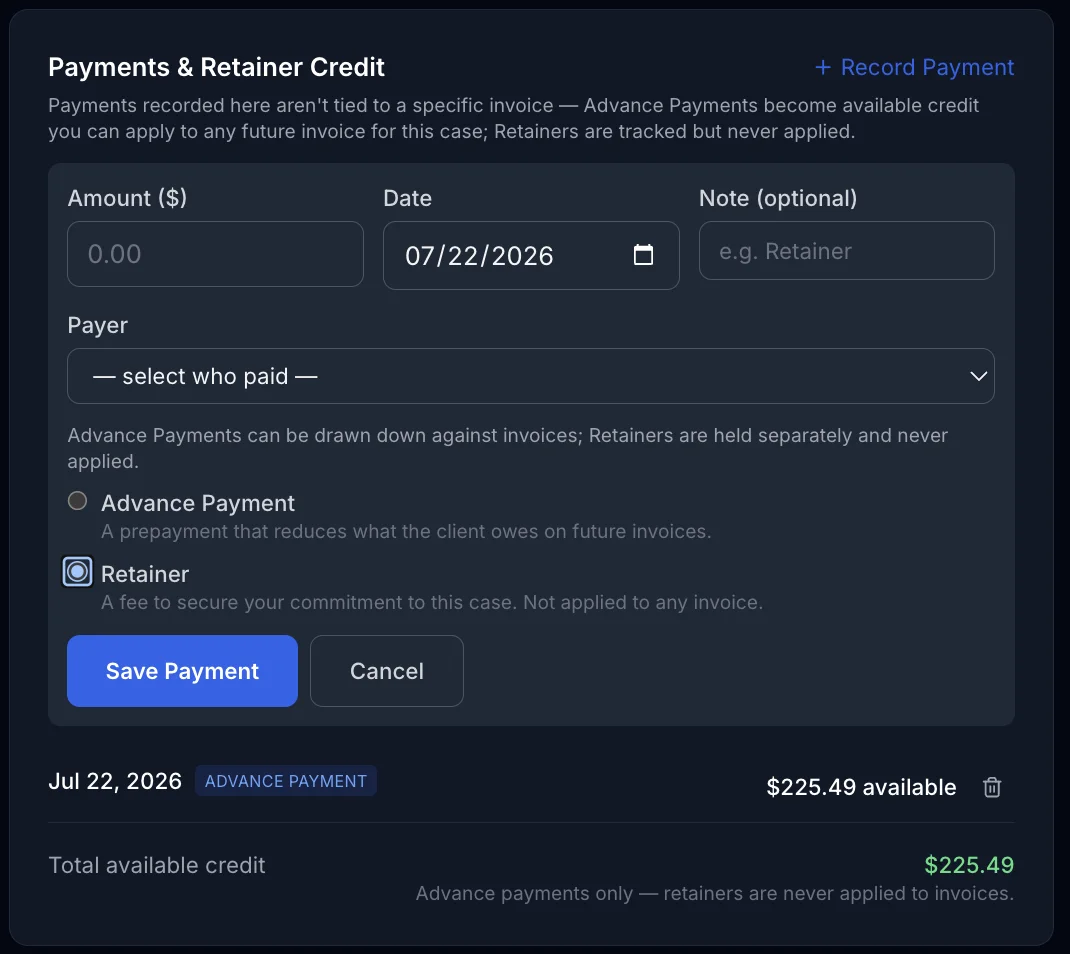
You don't need an invoice to exist first. From the case detail page, you can record a case-level payment directly — useful for retainers collected up front or advances paid before any time has been logged. Here, unlike on an invoice, you choose how the money behaves:
Retainer vs. Advance — the Real Difference
These two are easy to mix up, and the distinction matters:
- Retainer — secures the engagement itself. It's never applied to an invoice; it exists as a record that the client committed to the engagement, separate from whatever they're later billed for actual work.
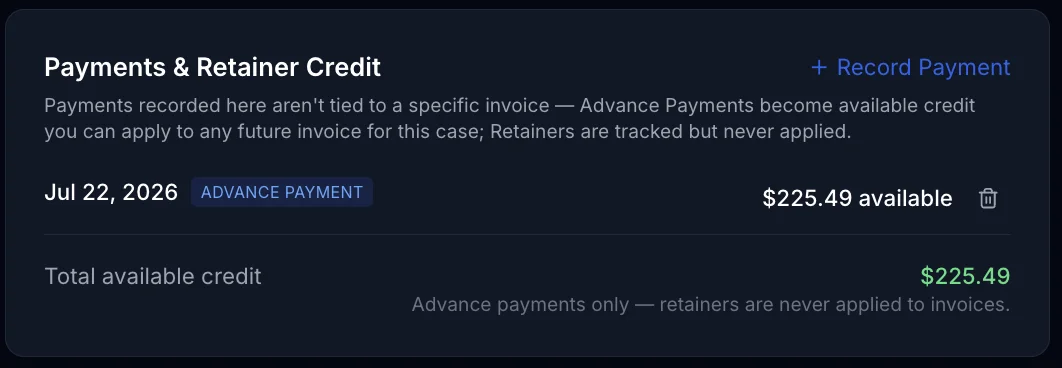
- Advance — drawable credit against future invoices. Money recorded as an advance sits as available balance that you can apply to reduce what a client owes on an invoice, now or later.
If you're not sure which one applies, ask: will this money ever be subtracted from a specific invoice? If yes, it's an advance. If it's just securing your commitment to take the case, it's a retainer. Either way, that money sits as unapplied case credit until there's an invoice to apply it to.
Applying Existing Credit to a New Invoice
When generating an invoice for a case with unapplied credit, you can apply that credit toward the balance due. On a split invoice, credit can be applied to one specific payer's share rather than the invoice as a whole — useful when only one of several payers has money on account.
Why the Order You Do Things In Matters
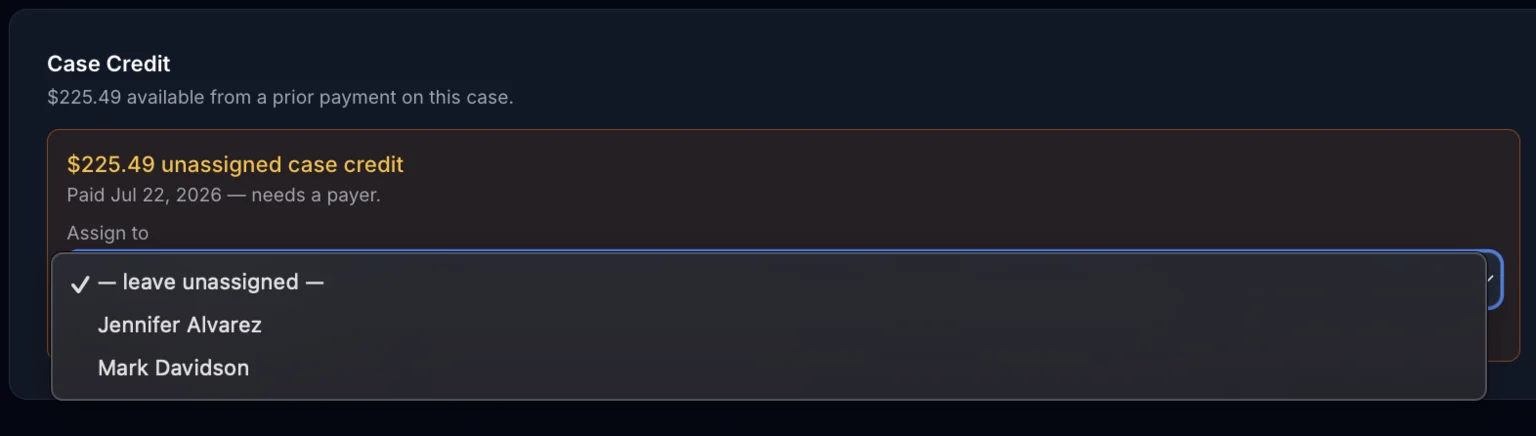
ExpertPractice only checks for unapplied case credit at one specific moment: when you generate a new invoice. If credit is already sitting on the case at that moment, a Case Credit panel appears automatically on the New Invoice screen and offers to draw it down — pre-filled with the most you can apply, like this:
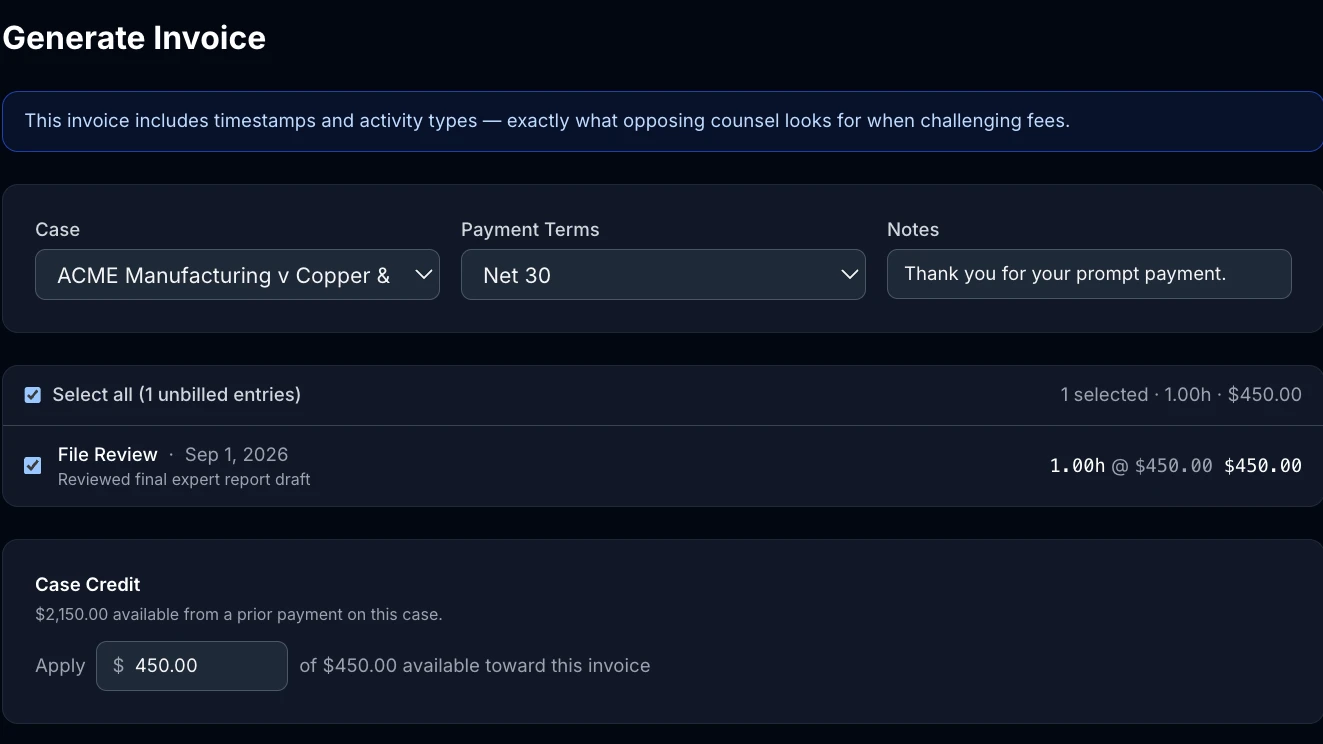
That panel is the only place this happens, and it only looks at credit that already exists at that exact moment — which means the order you do things in changes what you can do:
- Record the advance or retainer first, then generate the invoice — the credit is already on the case, so the Case Credit panel sees it and lets you apply some or all of it, exactly like the screenshot above.
- Generate the invoice first, then record the advance — the credit still gets saved to the case, but the invoice you already created has no way to reach back and grab it. It just sits as unapplied credit, ready for a future invoice — not the one you just made.
If you know money is coming in before you bill for it, recording it on the case first is the simplest path.
Already Generated the Invoice? Start Over Instead
Ended up in the second scenario above? The easiest fix isn't to juggle payment records — it's to get rid of that invoice and generate a fresh one:
- If you haven't recorded the advance or retainer yet, do that first — see above. It doesn't matter whether you do this before or after the next step.
- Get rid of the existing invoice. If it hasn't been sent yet, open it and click Delete — only available on a draft invoice. If it's already been sent, click Void instead (a sent invoice can't be deleted). Voiding has the same effect as deleting for this purpose — time entries and expenses return to unbilled, and any payment already recorded on the invoice returns to case credit. See Voiding an Invoice for the full mechanics.
- Generate a new invoice for the same case. Its time entries are available again, and the Case Credit panel will show your advance ready to apply — you're back in the “record first” scenario above.
For example: you record a $2,800 advance, but the $375 invoice you meant to apply it to already exists. Void (or delete) that invoice, then generate a new one for the same case — the Case Credit panel will show the full $2,800 available, and you apply $375 of it right there. No manual splitting, and nothing to re-enter on the payment side.
Fixing a Mistake
If a payment was recorded incorrectly — wrong amount, wrong case, applied to the wrong invoice — you can remove or un-apply it. The money doesn't disappear: un-applying a payment returns it to unapplied case credit, where it's available to apply correctly. This is the same mechanism that releases payments when you void an invoice — payments always land back as credit rather than being lost.