Using the AI Practice Assistant
Is the AI Assistant going to tell me what to bill, or just how to use the software?
What It Can Help With
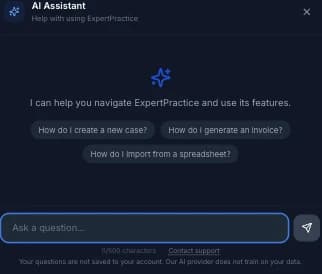
Click AI Assistant in the sidebar (the Sparkles icon) and ask a question in plain English — how to create a case, generate an invoice, import a spreadsheet, record a payment, set up follow-up reminders, or what a specific field means. It knows the app, not your practice: it can tell you where the flat-fee toggle is, not what to charge.
What It Won't Do
It's a product guide, not a practice advisor. Ask it what rate to charge, how to handle a fee dispute, or anything touching legal strategy, and it refuses by design and points you to SEAK or your professional association instead. This is a hard rule in how it's built, not a judgment call it makes case by case.
Suggested Actions
When an answer points to a specific screen, a button appears under the response — clicking it closes the assistant and takes you straight there instead of leaving you to find the menu item yourself.
Privacy & Limits
Your questions aren't saved to your account, and the AI provider doesn't train on your data. Each question is capped at 500 characters, each session at 20 questions — close and reopen the assistant to start fresh — and there's a limit of 50 questions per day across the account.
If It Can't Help
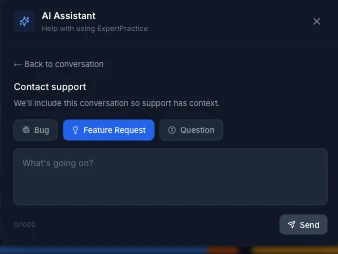
Every response has a Contact support link, and it's also always available below the input box. Sending a support message from inside the assistant includes your conversation so far, so you don't have to re-explain what you already asked.