Calendar Events in This Week & Case Activity
I added a calendar event to a case — where does it actually show up on the case itself?
This Week: What's Coming Up
A case's detail page has a This Week card showing that case's remaining calendar events through the end of the current week — a quick answer to "what do I have coming up on this case" without opening the full calendar. Click Add Entry right there to add a new calendar event already linked to this case.
Case Activity: What Already Happened
Once a calendar event's start time passes, it moves out of This Week and into the case's Case Activity feed alongside time entries, notes, and invoices — a meeting shows up there the moment it's actually happened, not the moment you scheduled it. A recurring event does this on every occurrence date, aging through the feed the same way any other activity does.
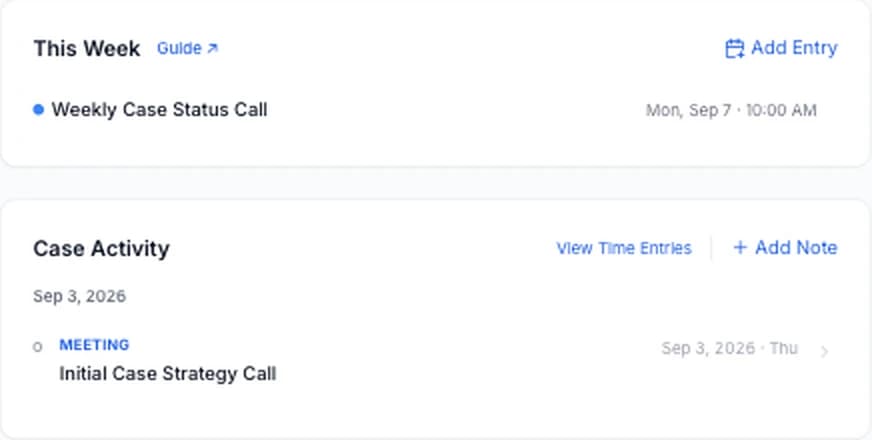
Clicking a calendar row in Case Activity opens that specific date's details, not the whole series — the same view described in Recurring Calendar Events.
Cancelled Occurrences Don't Appear
If you cancel a single occurrence of a recurring event, that date never shows up in This Week or Case Activity — it's as if it never happened. Restoring a cancelled occurrence brings it back into both places, following the same past/upcoming rule as any other date.