Logging a Flat-Fee Time Entry
My engagement letter has a flat fee for this phase, not an hourly rate — how do I log that without ExpertPractice trying to multiply hours × rate?
Switch to Flat Amount
On the Log Time form, the Billing method toggle at the top defaults to Hours × Rate. Switch it to Flat Amount and the form changes to match: the page heading becomes Log Flat Fee, the Hours field disappears from the main row, and you get a single Flat amount ($) field instead of Hours and Rate.
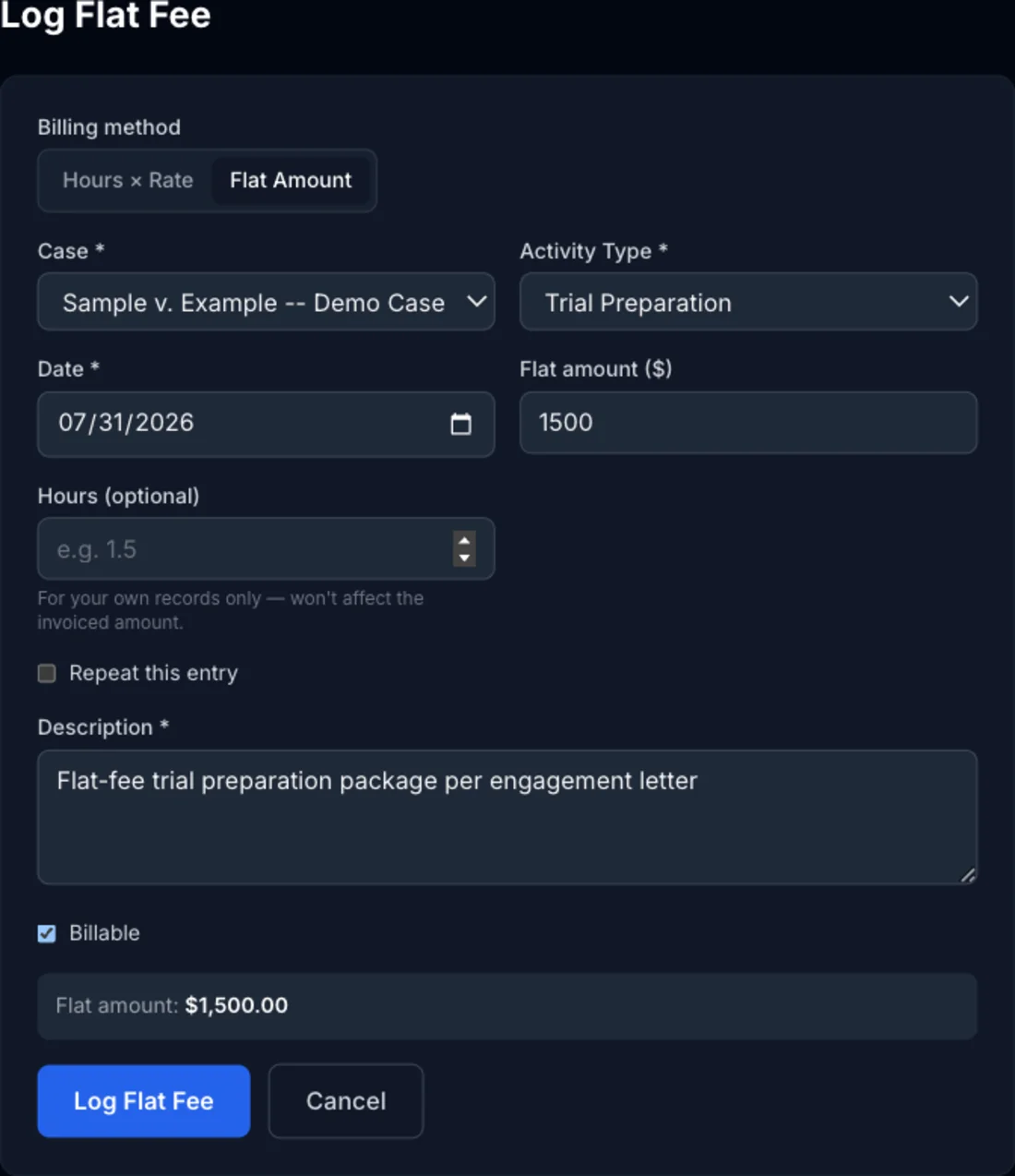
Case, activity type, date, description, and the billable checkbox all work exactly like a normal time entry — only how the amount is calculated changes.
Track Hours Anyway, If You Want To
Click + Also log hours for my own records to reveal an optional Hours field. Anything you enter there is stored on the entry and counts toward your logged-hours totals — useful if you still want an accurate record of time spent for a Rule 26 testimony disclosure — but it never factors into the invoiced amount. The flat amount is what gets billed, full stop.
How It Shows Up Everywhere Else
In the Time Log, a flat-fee entry shows its hours (if you logged any) labeled flat fee instead of an hourly rate, so it's obvious at a glance which entries are fixed-amount and which are hours × rate. On an invoice, the line item bills the flat amount directly — ExpertPractice never fabricates or displays an hourly rate for a flat-fee entry, even if you logged hours for your own tracking.