Task Due Dates & Case Activity
I completed a case-linked task — where does that show up, and what happens if I undo it?
Due Dates on Your Calendar
A task with a due date shows up as a small marker chip on your Calendar, right alongside events and invoice due dates — indigo while it's still upcoming, red once it's overdue and still open. It also appears in the Dashboard's Upcoming Events list and, for a case-linked task, that case's own This Week section. Clicking the marker anywhere opens the same edit form as clicking the task itself.
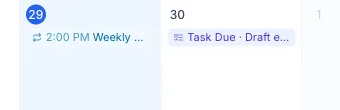
A task's due date is just a marker, not a real calendar event — it won't clutter your schedule with something to "attend," and completing the task doesn't leave behind a stray event.
Completing Logs It to Case Activity
Check off a case-linked task and it logs a "Task completed" entry into that case's Case Activity feed, right alongside time entries, invoices, and notes — a record that the work actually got done, not just that it was on your list. A general (non-case-linked) task never touches any case's Activity feed, since it isn't tied to one.
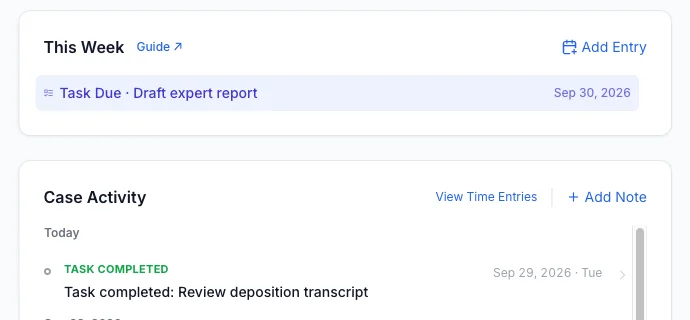
Undoing a Completion Removes It
Uncheck a task and its Activity entry disappears with it — Case Activity always reflects what's actually true right now, not a permanent log of everything that was ever checked. If you check it again later, a fresh entry is logged with today's date.
Renaming a completed task updates its Activity entry to match. Moving it to a different case, or clearing its Case field entirely, removes the old entry rather than leaving it behind on a case the task no longer belongs to.